Free tool
TikTok safe zone checker
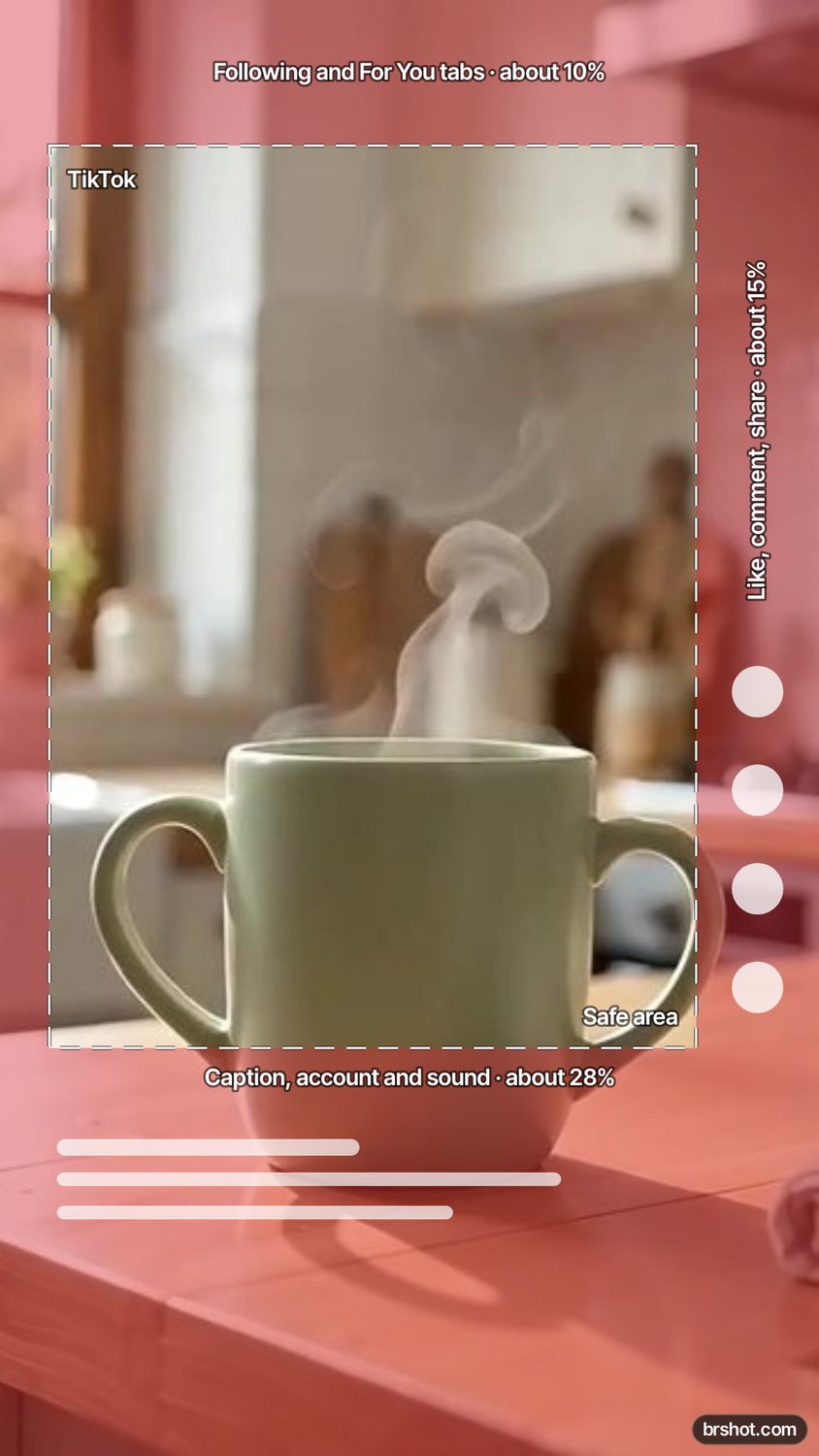
See what the TikTok tabs, caption, sound line and the like, comment and share buttons cover on your 9:16 frame.
The tool loads here. It needs JavaScript, and runs in your browser.
Our example
What it is good for
- Keep on-screen text and subtitles above the caption.
- Check a TikTok ad frame before you upload it.
- Keep a product and a call to action clear of the buttons.
How it works
- Add a 1080 × 1920 frame, or try the example.
- TikTok is already picked.
- Move text and faces out of the shaded areas, then download the check as a PNG.
Facts
| Price | free |
|---|---|
| Where it runs | in your browser; nothing is uploaded |
| Frame | 1080 × 1920 px, 9:16 |
| Covered (approximate) | about 10% at the top, 28% at the bottom, 15% on the right |
| Side margin | about 6% on the left |
| Mark | a small brshot.com mark in the bottom-right corner of the image it makes |
Questions
- What is the TikTok safe zone?
- Keep text and faces out of about the top 10% and the bottom 25 to 30% of the frame, and away from the buttons on the right (about 15%). These are approximate guide values; the app changes its layout.
- Where should subtitles go on TikTok?
- Above the caption area: in the middle third of the frame, left of the button column.
- Is the TikTok safe zone the same for ads?
- Close, but ads add a call-to-action button at the bottom, so keep more space there.
- Is it free?
- Yes. It runs in your browser. The PNG carries a small brshot.com mark in the bottom-right corner.
Part of
Same tool, other settings
Safe-zone checkerInstagram Reels safe zoneInstagram Story safe zone
More free tools
Aspect ratio calculatorBefore and after makerBlur and pixelateCharacter counterGIF makerColour picker from imageImage compressorImage converterImage splitterInstagram fontsPhone and browser mockupMeme generatorNo-crop borderSocial image resizerUTM link builderVideo frame extractorWatermark maker
Free credits every month
Sign in with Google and get 50 free credits every month. Unused credits do not roll over. Your credits also work in Claude Code and Codex through the BrShot MCP server.
Signing in shares your Google email address with BrShot; the privacy note says what we keep and for how long. Privacy note.