Flow · 1 step · our run used 10 credits
Outfit swap: an AI flow, step by step
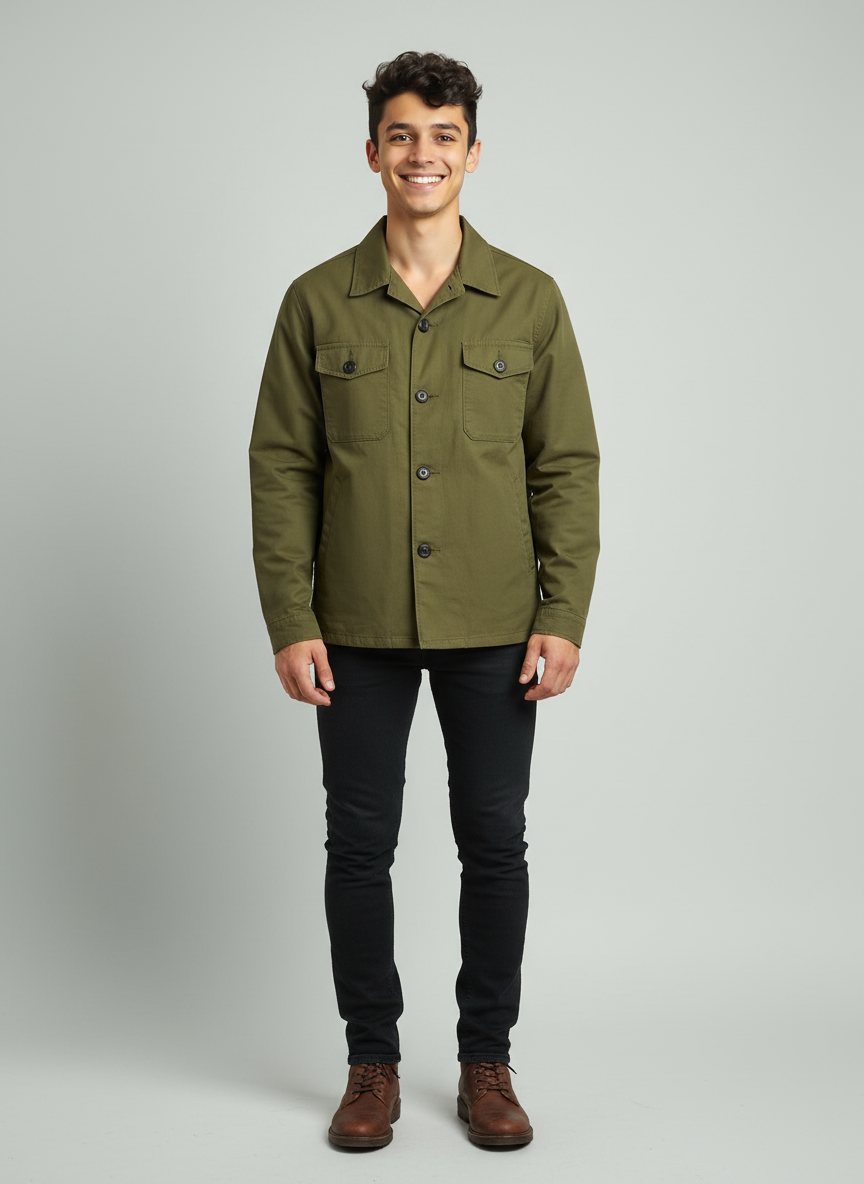
Give a character photo and a photo of the garment. The flow dresses the character in it and aims to keep the face, pose and scene.
Result
Steps
- New look: Made with Nano Banana.
What you give it
- Character
- Garment photo (yours)
- What they wear now
- Describe the new garment
What it is good for
- Show a garment on a model before a photo shoot
- Several outfits on the same invented model
- Lookbook images from flat garment photos
Tips
- Fill in both fields: what the character wears now ("a grey hoodie") and the new garment with its colour ("the long emerald-green gown"). The edit follows the garment much more reliably that way.
- Use a clear, well-lit photo of the garment on its own, with the whole garment in the frame.
- Start from a saved character, so the face and the body come from its references and only the clothes change.
From Claude Code
Coming next to the MCP server: characters, projects and flows.
Questions
- How do I change clothes in a photo with AI?
- Run this flow with the person's photo and a photo of the new garment.
- Does the face stay the same?
- The face and pose come from your character photo. Check each take.
- How much does the "Outfit swap" flow cost?
- Our run used 10 credits. The quote is shown before a run starts, and the whole estimate is held so a run never stops halfway on the daily cap.
Free credits every month
Sign in with Google and get 50 free credits every month. Unused credits do not roll over. Your credits also work in Claude Code and Codex through the BrShot MCP server.
Signing in shares your Google email address with BrShot; the privacy note says what we keep and for how long. Privacy note.