Free tool
Safe-zone checker for vertical video
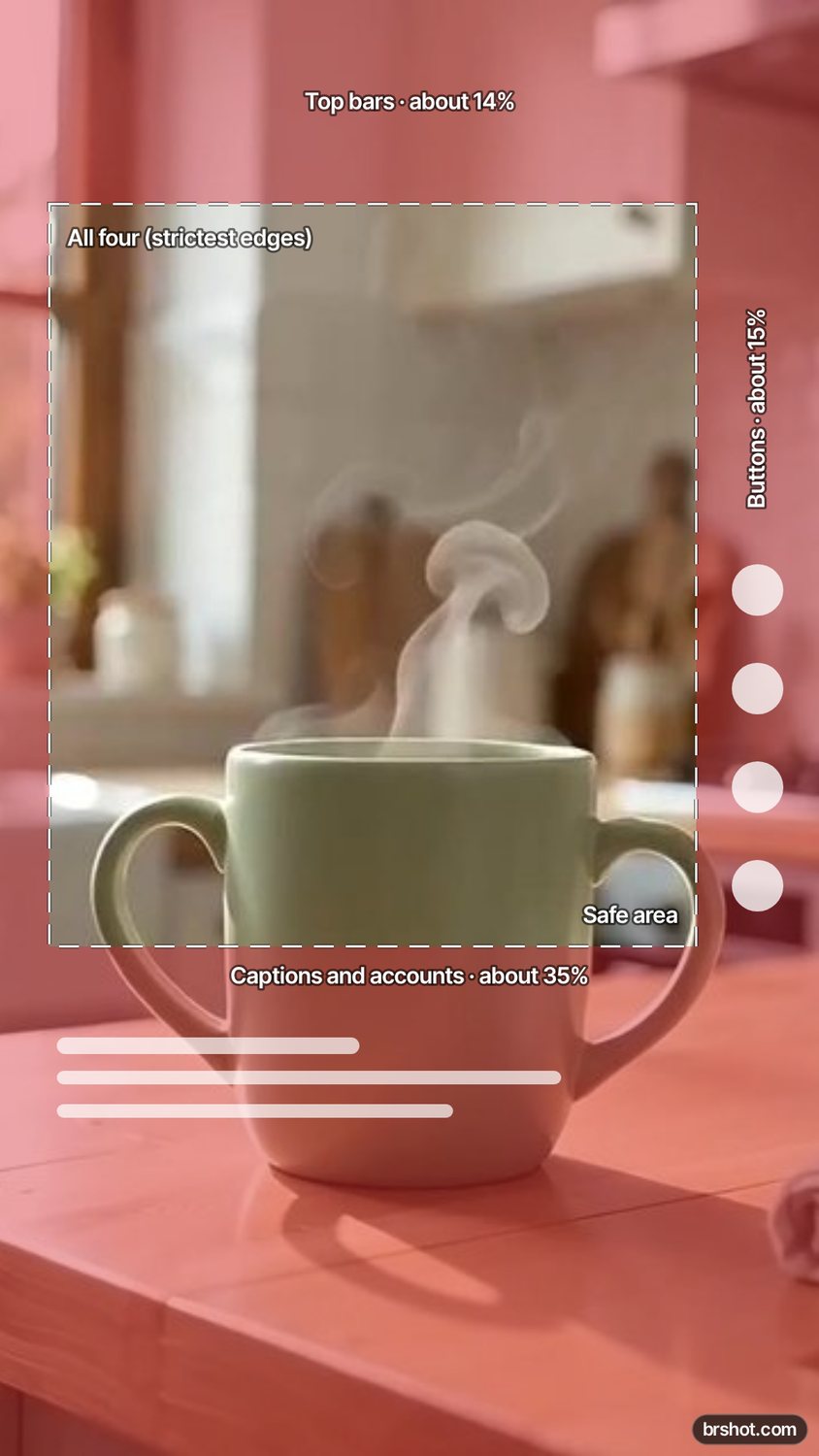
Put your 9:16 frame under the areas that the Reels, Stories, TikTok and Shorts interfaces cover, and see if your text, faces and logo stay clear.
The tool loads here. It needs JavaScript, and runs in your browser.
Our example
What it is good for
- Check that a caption or a price is not under the like and share buttons.
- Place a logo and a call to action where every platform shows them.
- Review a thumbnail frame or an ad before you post it.
- Make one layout that is safe on all four platforms.
How it works
- Add your 9:16 frame, or try the example.
- Pick a platform, or all four to see the strictest edges.
- Move anything important out of the shaded areas in your design.
- Download the checked frame as a PNG to share.
Facts
| Price | free |
|---|---|
| Where it runs | in your browser; nothing is uploaded |
| Platforms | Instagram Reels, Instagram Stories, TikTok, YouTube Shorts |
| Approximate guide values (share of a 1080 × 1920 frame) | Reels: about 14% top, 35% bottom, 12% right · Stories: about 14% top, 20% bottom · TikTok: about 10% top, 28% bottom, 15% right · Shorts: about 10% top, 30% bottom, 15% right |
| Output | PNG, 1080 × 1920, with the covered areas shaded |
| Mark | a small brshot.com mark in the bottom-right corner of the image it makes |
Questions
- What is the safe zone for vertical video?
- It is the part of the 9:16 frame that the app does not cover with buttons, captions and the account name. The sizes here are approximate guide values; the apps change their layouts.
- Is one layout safe on Reels, TikTok and Shorts?
- Pick All four: the tool shades the largest margin of each edge, so whatever stays inside the outline is clear on every platform it covers.
- Can I check a video?
- Check a still from it. Grab the frame with the video frame extractor, then add it here.
- Is the safe-zone checker free?
- Yes. It runs in your browser. The PNG carries a small brshot.com mark in the bottom-right corner.
Part of
Same tool, other settings
Instagram Reels safe zoneTikTok safe zoneInstagram Story safe zone
More free tools
Aspect ratio calculatorBefore and after makerBlur and pixelateCharacter counterGIF makerColour picker from imageImage compressorImage converterImage splitterInstagram fontsPhone and browser mockupMeme generatorNo-crop borderSocial image resizerUTM link builderVideo frame extractorWatermark maker
Free credits every month
Sign in with Google and get 50 free credits every month. Unused credits do not roll over. Your credits also work in Claude Code and Codex through the BrShot MCP server.
Signing in shares your Google email address with BrShot; the privacy note says what we keep and for how long. Privacy note.