Guide
Real estate commercial
A real estate commercial walks the viewer through a home in the order a buyer would see it, with wide, level shots and the key facts on screen. Here a listing photo of a living room becomes a 5-second clip with a slow sideways move, made in one run.
Step by step
Plan the order: outside, entrance, living room, kitchen, main bedroom, the view.
Start from a bright, level listing photo; straight verticals make rooms look right.
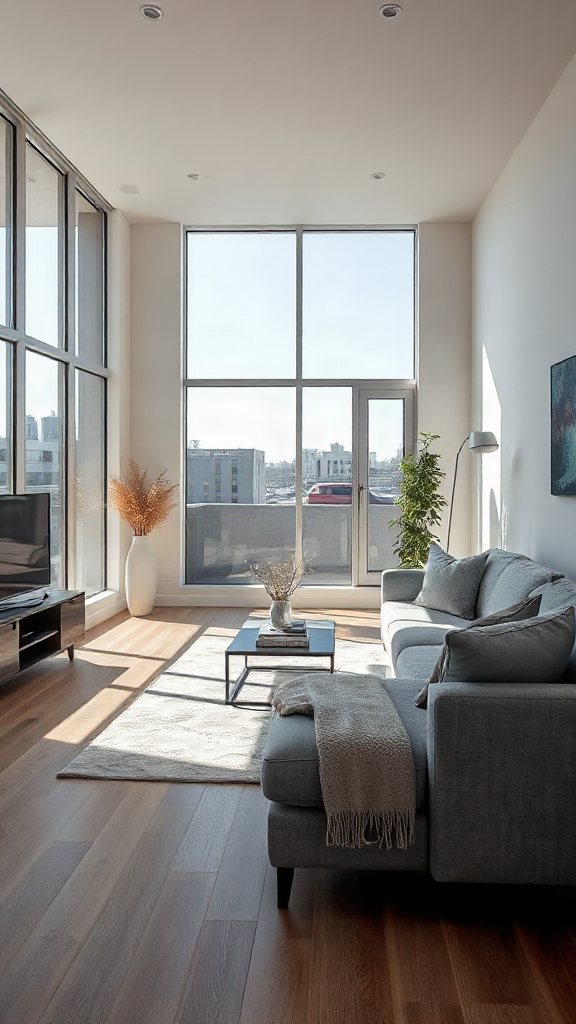
1 credit · 576×1024 Use a slow truck move across the room. Moving sideways shows width better than zooming.
40 credits · 576×1024 Put the facts on screen in captions: bedrooms, area, the neighbourhood, the price if you show it.
Close on the agent or agency name and how to book a viewing.
Questions
- How long should a real estate video be?
- For a social ad, 20 to 40 seconds. A full walkthrough for the listing page can run longer.
- Can I make a listing video from photos only?
- Yes. Each listing photo can become a short clip with a camera move, and the clips join into one video.
- Should the clip change the room?
- No. Keep the room as it is in the photo; buyers compare the video with the visit.
Free credits every month
Sign in with Google and get 50 free credits every month. Unused credits do not roll over. Your credits also work in Claude Code, Codex and OpenCode through the BrShot MCP server.
Signing in shares your Google email address with BrShot; the privacy note says what we keep and for how long. Privacy note.