Guide
Jewelry commercial
A jewelry commercial is about light moving over metal and stones, so the camera or the light must move. Slow orbits and close framing show the sparkle a still photo cannot. Our example takes a ring and a pearl necklace on marble and turns them into a 5-second clip with a slow orbit.
Step by step
Pick one piece per ad; two at most. Small objects need the whole frame.
Start from a clean photo on a calm surface such as marble, with soft light.
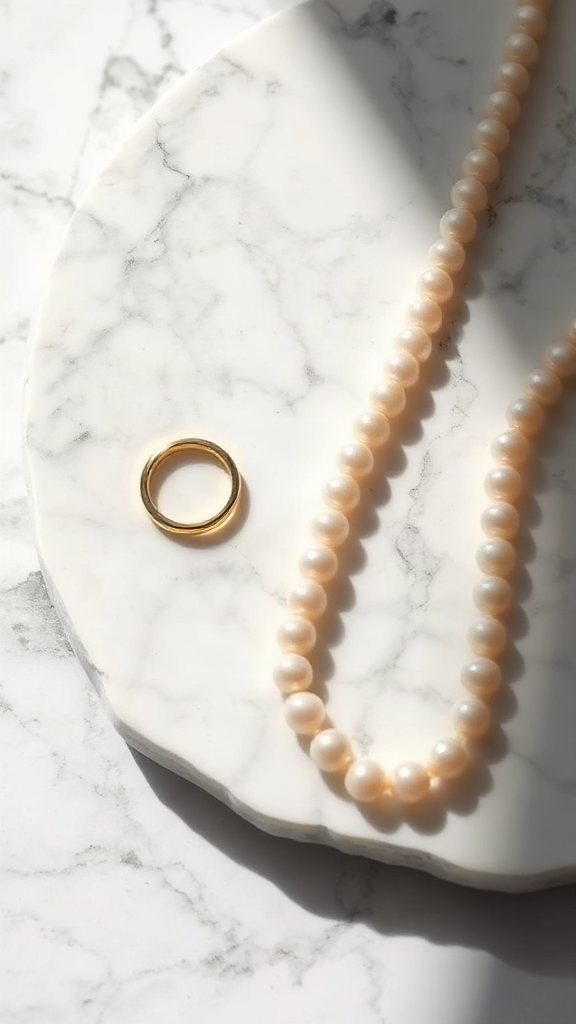
1 credit · 576×1024 Orbit slowly so highlights travel across the metal and the pearls.
40 credits · 576×1024 Add a close shot of the piece being worn or held, then the box.
Close on the brand name and the collection, not a long list of prices.
Questions
- How do I make jewelry sparkle on video?
- Move the camera or the light slowly. Sparkle is a change in light, so a still frame cannot show it.
- Which camera move suits jewelry?
- A slow orbit or a gentle push-in. Keep the piece sharp and the background calm.
- Does an AI clip change the piece?
- Check every clip: video models can change small details such as prongs or links. Use the shots where the piece stays true.
Free credits every month
Sign in with Google and get 50 free credits every month. Unused credits do not roll over. Your credits also work in Claude Code, Codex and OpenCode through the BrShot MCP server.
Signing in shares your Google email address with BrShot; the privacy note says what we keep and for how long. Privacy note.